


Basic
€0/month
Free, always
What’s included
- A free preview of every book
- Buy books one by one
- Publish as many books as you like
- Levels, XP, badges and reading streaks
Sign in to pick up where you left off, or create a free account.
Ready to read? Enter your email to create your account.
Already have an account? Sign in
Every book on Premium. Or read the start of any book free, and buy the ones you love.
Forgot a name or what happened three chapters back? Ask, and get the answer without a single spoiler.
Find readers who just turned the same last page and want to talk about it as much as you do.
Pick up where you left off on your phone, tablet or computer, even without a signal.
€0/month
Free, always
What’s included
€10.99/month
Billed monthly
Everything in Basic, plus
€19.99/month
Billed monthly
Everything in Premium, plus
About 1 chapter in 10,000 hides a Phantom. Only for Premium and Max.
Now and then, when you open the next chapter, a Phantom turns up. Find one and your name shines pearl white, with the Phantom beside it, wherever you talk about books and chapters. It’s yours for good.
Phantoms can only be found by reading. Nobody can buy one.
See the plansShort answers to what people ask before they join. Everything else is in the Help Center.
Streaming, but for books. The greatest stories ever told and new books by writers who publish here, ready to read from the first chapter to the last on your phone, tablet or computer. Your place is saved on all of them.
Have a look around first: you can look at book pages without an account.
Yes. Join for free and read a free preview of every book. Buy the books you want to finish, or read every book with Premium.
Basic stays free for good, with the levels, badges and reading streaks every plan has.
That’s the best part. Every chapter has its own conversation, so you can react to a twist the moment it happens and see what everyone else made of it.
Comments marked as spoilers stay hidden until you tap them.
Just ask. On Premium, an AI reading companion answers your questions about the book: who that was again, what happened three chapters back, what an ending meant.
No more flipping back 200 pages.
€10.99 a month, or €98.88 a year (that’s €8.24 a month). For that you read every book on Pulpmount, as many as you like, with the AI reading companion. Max is €19.99 a month, or €179.88 a year, with four times Premium’s AI allowance and more for writers. Prices are in euro.
See every planYes, in two taps. There’s no minimum term: cancel in Settings → Billing and we email you a confirmation. Your plan runs to the end of the time you paid for, and you can change your mind until then.
You can also withdraw from a new plan within 14 days and get back what you paid, minus what you’ve had.
Yes, on every plan, Basic too. Your book gets its own page, its own readers and a conversation under every chapter.
Upload your finished book as a Word document, check the chapters we find, add a description and a cover, and publish. Nothing is public until you do. Every book is checked before it goes live, and if you’re under 18, a parent or guardian has to agree first.
At least 13, or 16 in Florida and 18 in South Africa. Books marked Mature open only for readers 18 and over. Your date of birth stays private.
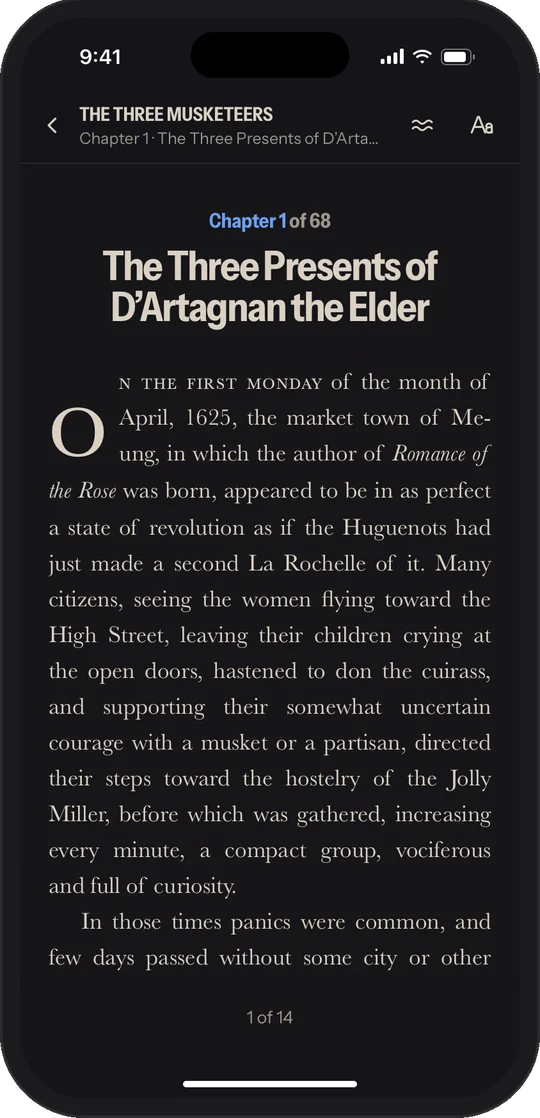
Just you and the story. Nothing else on the screen, and your next chapter one tap away.
iPhone, in Safari
Android, in Chrome
In the Google app

iPhone, in Safari
Android, in Chrome
In the Google app
A kinder, deeper place for readers.


